Extensions

Every download, checked.

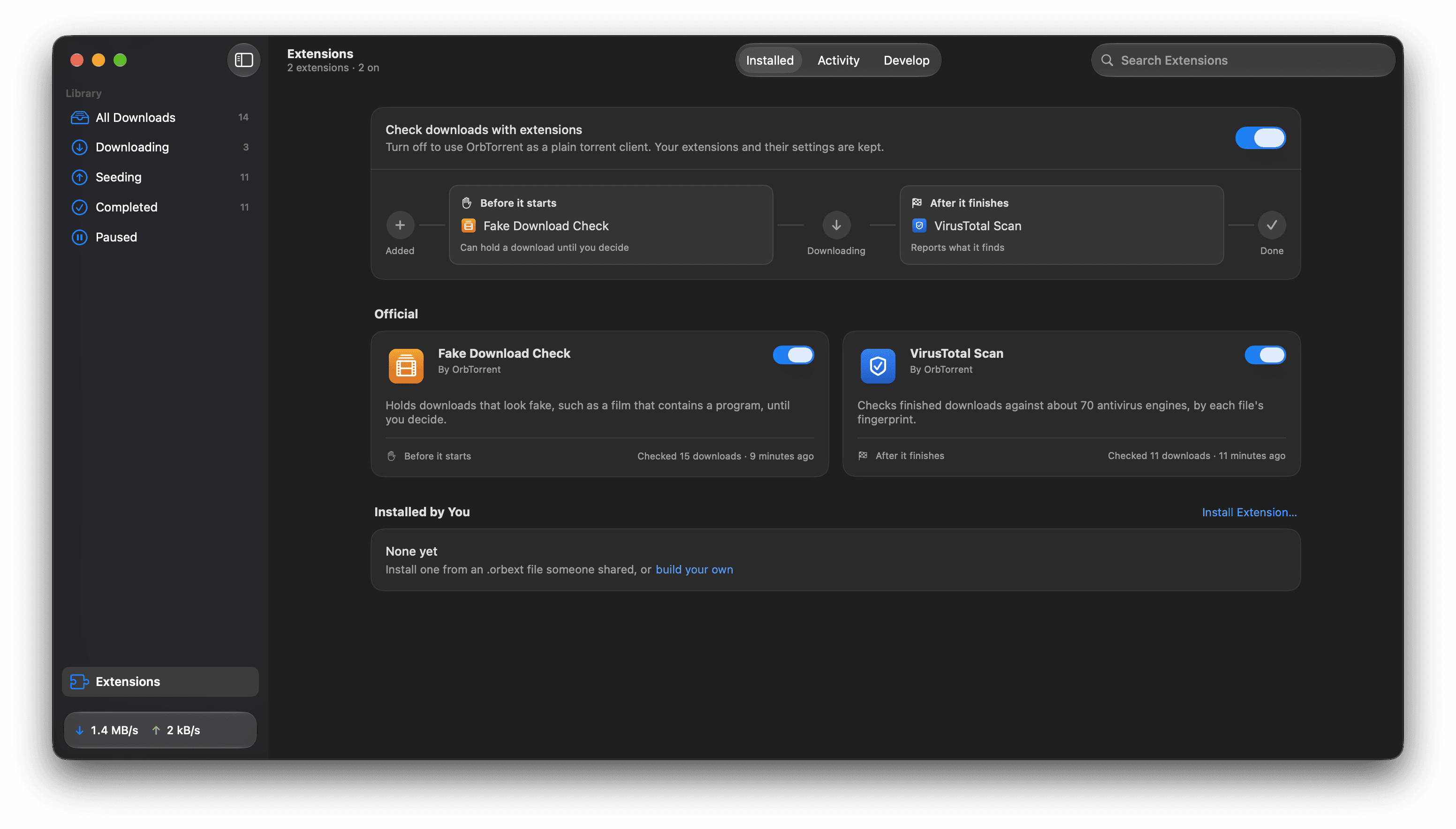
Extensions run at two moments in a download's life: before it starts, when they can hold it until you decide, and after it finishes. Their results show in each download's Checks tab.
OrbTorrent's Extensions page: a switch for all extensions, the Fake Download Check before a download starts and VirusTotal Scan after it finishes, and the official extensions with their switches

Official

Two to start with.

On from the start

Fake Download Check

Looks at the names and sizes of a download's files, before any of it arrives, for the signs fakes share. Everything happens on your Mac.

Runs
Before it starts
Looks at
File names and sizes
Sends
Nothing, anywhere

It holds

  • A program disguised as a video
  • A film with a program or installer in it
  • A video locked in an archive, with a password file

It warns about

  • A film far too small for its quality
  • Video only in .wmv
  • Links to download it elsewhere
  • A film with no video in it

With a free key

VirusTotal Scan

When a download finishes, it looks up each file's fingerprint on VirusTotal, which checks it against about 70 antivirus engines.

Runs
After it finishes
Fails
3 or more engines call a file malicious
Warns
1 or 2 do, since one-off false alarms are common
Uploads
Nothing, unless you turn that on
  • Checks programs first, then archives, then documents, and remembers answers for a week.
  • The free key allows 4 lookups a minute, so it waits between them.

Safe by design

Code from others, kept on a short leash.

OrbTorrent doesn't rely on reviewing extensions alone. It limits what their code can do.

Build your own

In TypeScript, or in a sentence.

Start one with a single command. It comes with tests that run without OrbTorrent, and loads into it as you save.
$ npm create @orbtorrent/extension@latest size-guard
$ npm test
$ npm run dev

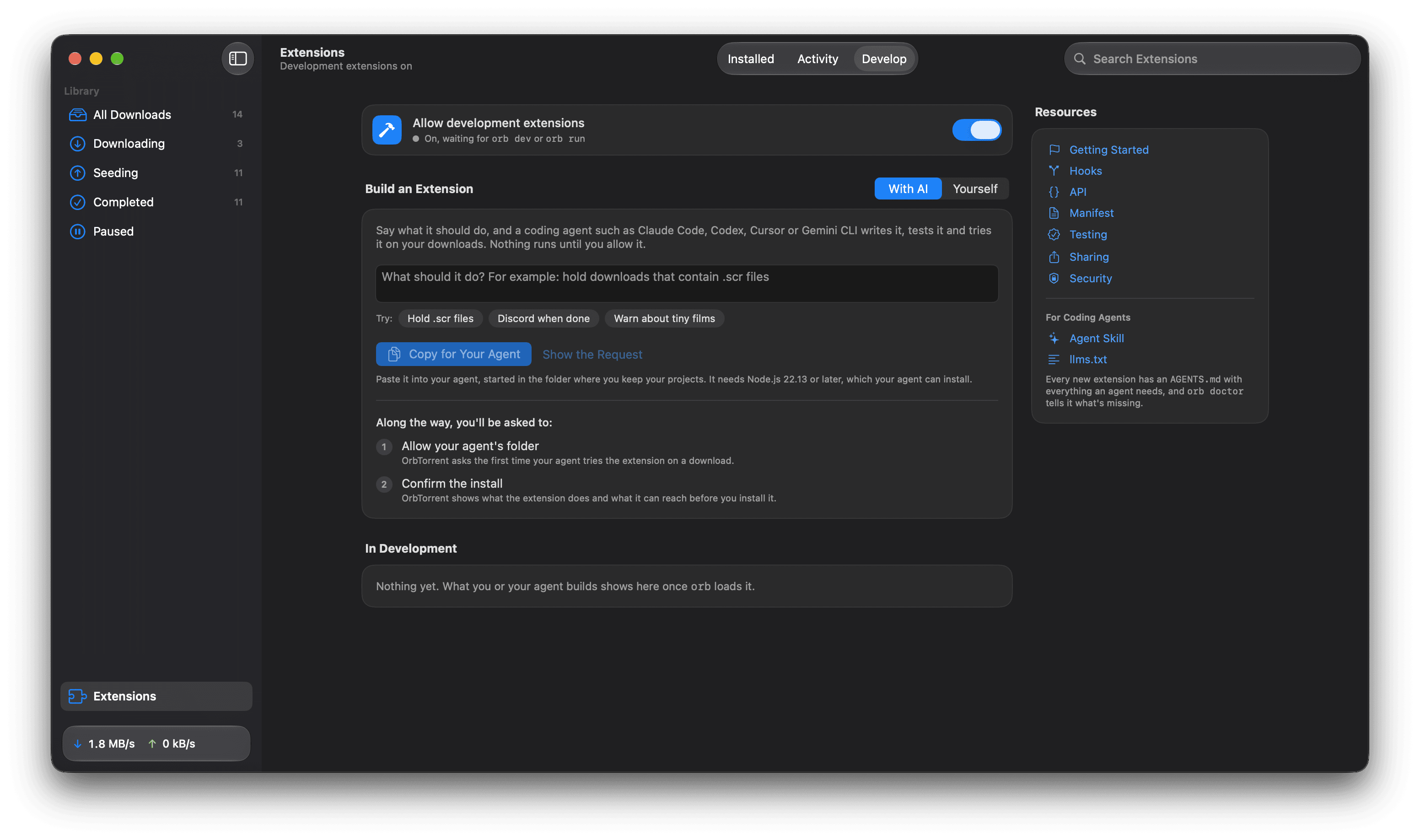
Or describe what you want: on the Develop tab of OrbTorrent's Extensions page, it becomes a request for a coding agent such as Claude Code, Codex, Cursor or Gemini CLI, which writes it, tests it and tries it on your downloads. Nothing runs until you allow it.

src/check.ts
import { Download, Result, getPreferenceValues } from "@orbtorrent/api";

const gigabyte = 1_000_000_000;

/** Runs when a download's files are known, before any of it downloads. */
export default async function check(download: Download): Promise<Result> {
  const { limit } = getPreferenceValues();
  const size = (download.size / gigabyte).toFixed(1);
  if (download.size > Number(limit) * gigabyte) {
    // "failed" holds the download until you start it.
    return { status: "failed", summary: `It's ${size} GB, over your limit` };
  }
  return { status: "passed", summary: `${size} GB, within your limit` };
}

Share it as an .orbext file: opening one shows what it does and what it can reach, and installs it when you confirm. The SDK is MIT licensed, so your extension can use any licence.

The Develop tab: describe an extension, copy the request for a coding agent, and the steps you'll be asked to confirm

Community

Made an extension?

Add it to the community list in the README with a pull request: its name, a link, and a line on what it does.

The community list